Ask most cafe owners whether they want "an app" and the honest answer is no, not really, they want customers to come back more often. The app is just the thing they assumed they needed to get there. It turns out most customers don't want it either.
A single independent cafe asking a customer to download a dedicated app is asking for a lot: storage space, a new account, a permissions prompt, and a spot on a home screen that will probably get deleted the next time the phone runs low on space. Multiply that by every cafe a person visits and it's easy to see why most people simply say no. This is the case for skipping the app altogether and using something a phone can already do: open a camera and scan a code.
Why Independent Cafes Don't Need Their Own App
App fatigue is a real, everyday behaviour, not a niche complaint. People are selective about what they install because every app costs something: a download, an account, storage, and ongoing notifications. A single cafe, however loved, is rarely worth that cost to an average customer, especially when they might visit once a week and grab a coffee somewhere else the rest of the time.
Dedicated App
- Download, install, create an account before the first visit even counts
- Uses phone storage and often asks for notification permissions
- One more app per cafe a customer visits
- Easily deleted during a phone storage clear-out
No-App QR Check-in
- Opens straight in the phone's existing camera and browser
- Nothing to install, nothing taking up storage
- Same phone camera works for every cafe using the same approach
- Nothing to delete, because there is nothing installed
For an independent cafe, the practical effect matters more than the theory: the lower the friction to join, the more customers actually join. A loyalty program only works if people use it, and the single biggest lever for usage is how much it asks of someone before they get any value back.
No app for you to build, none for your customers to install
My Cafe Loyalty runs entirely through a QR code and a browser. Start with a 30-day free trial, nothing charged for 30 days.
Get Started FreeHow No-App QR Check-in Actually Works
The mechanics are deliberately simple, because simplicity is the entire point. Here's the flow from a customer's first visit onward:
Customer scans the QR code
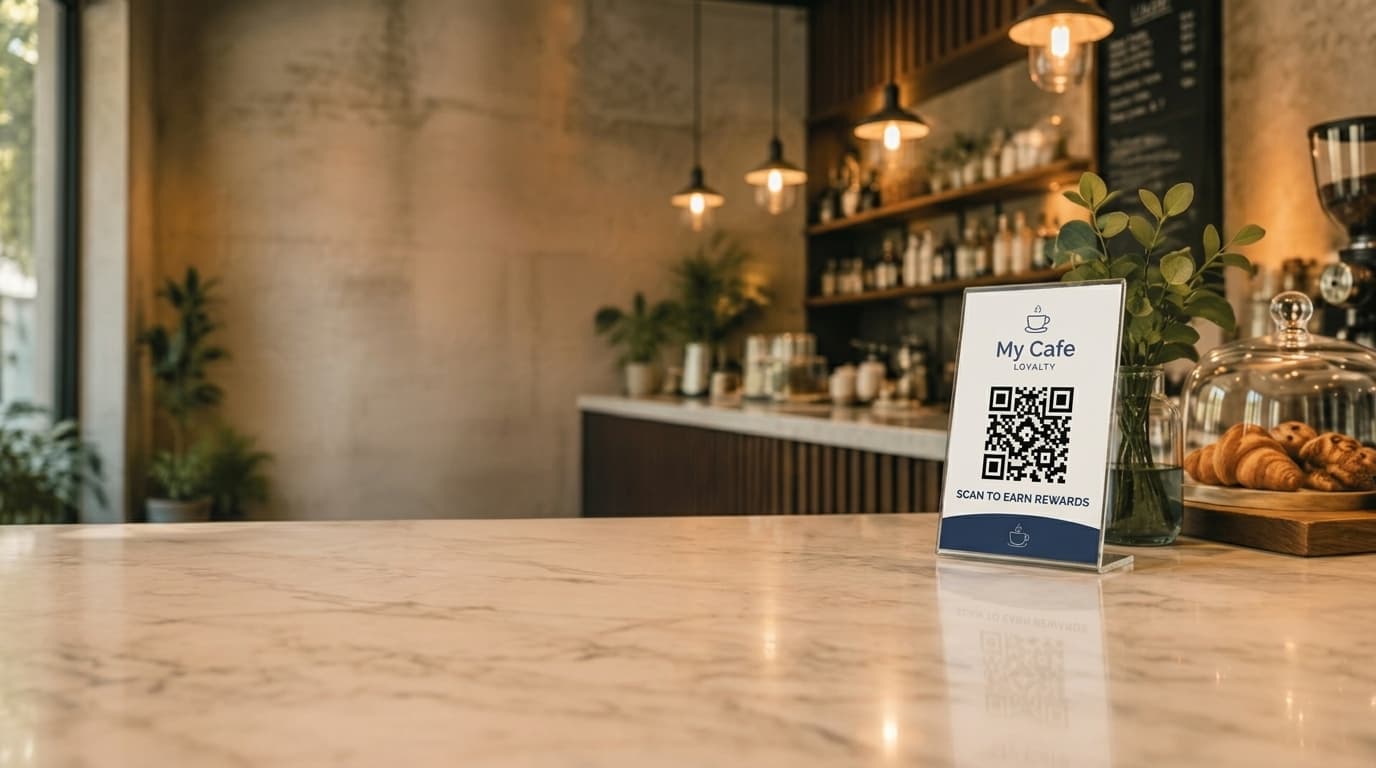
A poster or counter card displays the cafe's unique QR code. The customer's phone camera detects it automatically and opens a check-in page in their default browser, no app needed.
First visit: name and mobile number, about 30 seconds
The only information asked for is a name and a mobile number. There is no password to create and no account to set up. This takes about as long as it takes to type a phone number.
Return visits: recognised by phone, not re-entered
The check-in page saves a browser session with a 30-day cookie. Scan again on the same phone within that window and the customer is recognised instantly, no retyping anything. This is a standard saved browser session, not device fingerprinting.
New phone or cleared browser: re-enter the mobile number, keep the progress
If the session is gone, the customer just enters their mobile number again. Because progress is tied to the phone number rather than the device or browser, their full visit history and reward progress comes straight back. Nothing is lost.
One check-in per 12 hours
Check-ins are rate limited to once every 12 hours per customer per cafe. This keeps the visit count meaningful and prevents someone from scanning repeatedly in the same sitting.
What the Customer Actually Sees
After scanning, the customer sees a simple, branded page, not a generic form. It shows the cafe's logo and colours, a clear count of visits toward the next reward (for example, "6 of 10 visits"), and a confirmation that the check-in has been recorded. No login, no password, no navigating a menu of unrelated features. The entire interaction is built around a single purpose: confirm the visit and show progress.
Because there's no app to reopen later, most customers check their progress by scanning the same QR code again on their next visit, or through a web portal if the cafe offers one. Either way, the information is always current, since it's pulled live rather than cached in an app that might be out of date.
How Rewards and Redemption Work
The reward structure is straightforward and cafe-configurable, but the default most independent cafes start with is 10 visits for a free coffee. Every approved check-in counts toward that total, visible to the customer at each scan.
Redemption is where a lot of apps and wallet passes add friction back in: a code to find, a screen to show, a barcode to scan at the till. A no-app approach can skip that too. When a customer reaches the threshold, staff simply look the customer up on the cafe dashboard, usually by name or phone number, and confirm the redemption there. There is no code for the customer to produce and nothing for them to open beyond the QR check-in they already did.
Why staff confirmation instead of a customer code
Putting the confirmation step in the staff's hands, rather than trusting a code or screenshot a customer shows, keeps redemption simple for the customer while giving the cafe a clear, auditable record of when each reward was actually given out.
No-App QR vs App-Based and Wallet-Based Loyalty
It helps to think about loyalty tools by category rather than by brand, since each category has a genuinely different shape of trade-off. Here's how the main approaches compare at that level:
Dedicated apps (app required to join)
Some loyalty platforms require the customer to download a dedicated app before they can join at all. Stamp Me, for example, requires customers to download the Stamp Me app to collect stamps. This can work well once a customer has it installed, but it puts the download step first, before the customer has any reason to trust it's worth the effort.
Best for: cafes confident their regulars will install a dedicated app before trying the loyalty program.
Digital wallet cards
Wallet-based platforms, such as Loopy Loyalty, skip a dedicated app by adding a loyalty pass to the customer's Apple Wallet or Google Wallet instead. That avoids an app download, but it still asks the customer to accept and save a pass, and the experience depends on how smoothly their phone's wallet app handles it.
Best for: cafes whose customers are already comfortable adding passes to a digital wallet.
POS-integrated loyalty
Loyalty features built into a point-of-sale system tie enrolment and rewards to the till itself, often via a customer's card or a lookup at checkout. This can be convenient where it exists, but it locks the loyalty program to whichever POS the cafe runs, and switching POS providers later means rebuilding the program.
Best for: cafes happy to keep loyalty permanently tied to their current POS.
No-app QR check-in
A no-app approach asks for the least up front: no download, no wallet pass, no dependency on a specific POS. Everything runs through the phone's camera and browser, and because check-in and redemption are independent of the till, it works with whatever POS a cafe is already using, no integration required.
Best for: independent cafes that want a low-friction program customers actually keep using.
No POS Integration Required
Because the customer's check-in happens on their own phone via the QR code, and staff confirm redemptions from a separate cafe dashboard, none of this depends on what till or point-of-sale software a cafe runs. There's no integration to configure, no compatibility to check, and no risk of the loyalty program breaking if the cafe changes POS providers down the track.
This matters more for independent cafes than it might first seem. Many run older or simpler POS setups, or plan to switch at some point, and a loyalty program that lives entirely outside that system keeps it working no matter what changes at the counter.
Frequently Asked Questions
Do customers need to download an app to join a QR code loyalty program?
No. With a no-app QR loyalty program, customers scan a QR code with their phone camera, which opens a check-in page in their existing browser. There is nothing to download and nothing to install. The first time, they enter their name and mobile number, which takes about 30 seconds. After that, the browser recognises them automatically on return visits.
Do customers need to download an app to join a QR code loyalty program?
No. With a no-app QR loyalty program, customers scan a QR code with their phone camera, which opens a check-in page in their existing browser. There is nothing to download and nothing to install. The first time, they enter their name and mobile number, which takes about 30 seconds. After that, the browser recognises them automatically on return visits.
How does the system recognise a returning customer without an app?
The check-in page saves a browser session with a 30-day cookie after the first visit, so a returning customer who scans again on the same phone and browser is recognised instantly with no need to re-enter anything. This is not device fingerprinting, it is a standard browser session. If a customer gets a new phone or clears their browser data, they simply re-enter their mobile number and their full visit history and progress comes back, because progress is tied to the phone number, not the device.
How does the system recognise a returning customer without an app?
The check-in page saves a browser session with a 30-day cookie after the first visit, so a returning customer who scans again on the same phone and browser is recognised instantly with no need to re-enter anything. This is not device fingerprinting, it is a standard browser session. If a customer gets a new phone or clears their browser data, they simply re-enter their mobile number and their full visit history and progress comes back, because progress is tied to the phone number, not the device.
How is a no-app QR loyalty program different from a digital wallet card like Loopy Loyalty?
A wallet-based approach, such as Loopy Loyalty, adds a loyalty pass to the customer's Apple Wallet or Google Wallet. It does not require a dedicated app, but it does require the customer to accept and save a wallet pass, and it depends on the customer's wallet app working smoothly. A no-app QR check-in skips that step entirely: everything happens in the browser at the moment of scanning, with no pass to add or manage.
How is a no-app QR loyalty program different from a digital wallet card like Loopy Loyalty?
A wallet-based approach, such as Loopy Loyalty, adds a loyalty pass to the customer's Apple Wallet or Google Wallet. It does not require a dedicated app, but it does require the customer to accept and save a wallet pass, and it depends on the customer's wallet app working smoothly. A no-app QR check-in skips that step entirely: everything happens in the browser at the moment of scanning, with no pass to add or manage.
How does reward redemption work without a loyalty app?
There is no redemption code for the customer to enter or show. When a customer reaches the reward threshold, usually 10 visits, staff look the customer up on the cafe dashboard and confirm the redemption there. The customer does not need to open anything or find a code, and the confirmation step gives staff control over when a reward is actually given out.
How does reward redemption work without a loyalty app?
There is no redemption code for the customer to enter or show. When a customer reaches the reward threshold, usually 10 visits, staff look the customer up on the cafe dashboard and confirm the redemption there. The customer does not need to open anything or find a code, and the confirmation step gives staff control over when a reward is actually given out.
Does a no-app QR loyalty program work with any point-of-sale system?
Yes. Because check-in happens on the customer's own phone through a QR code and reward confirmation happens on a separate cafe dashboard, there is no integration with the point-of-sale system required. It runs independently of whatever till or POS software the cafe already uses.
Does a no-app QR loyalty program work with any point-of-sale system?
Yes. Because check-in happens on the customer's own phone through a QR code and reward confirmation happens on a separate cafe dashboard, there is no integration with the point-of-sale system required. It runs independently of whatever till or POS software the cafe already uses.