The most effective way to get more Google reviews is to ask at the right moment, which is not at the counter during the morning rush. The best moment is 5-10 minutes after a customer leaves, while the experience is fresh and they are no longer in a transaction mindset. Manual approaches fail not because cafe owners do not care, but because busy staff forget, and asking face-to-face creates social pressure that rarely converts to an actual review. SMS-based automation removes both problems, and combined with a compliant two-option request page, produces a steady flow of genuine reviews without any staff involvement.
Why Google Reviews Matter for Australian Cafes
When someone searches "cafe near me" or "best coffee in [suburb]", Google decides which cafes appear at the top. Three of the most influential factors are your review count, your average star rating, and how recently those reviews were posted. Google states this directly in its Business Profile documentation.
For Australian cafes, Google Maps is now the dominant way new customers discover you. Someone standing on a street in Fitzroy, Surry Hills, or Fortitude Valley choosing between two cafes they have never tried opens Google Maps, sees one cafe with 47 reviews at 4.6 stars and another with 12 reviews at 4.2 stars, and walks into the first one. That decision takes about 10 seconds. Your regulars already know you. Google reviews are how strangers decide to walk through your door.
Local SEO
Higher review count and rating improves your Google Maps ranking for local searches
Maps Visibility
Google Maps is the primary discovery tool for cafes in Australian cities
Customer Trust
Customers use reviews and ratings to choose between competing cafes
Review recency matters too. A cafe with 200 reviews but none in the last 6 months signals to Google (and customers) that something may have changed. A cafe with 80 reviews but 10 from the last month looks active and current. This is why a one-time push for reviews is less effective than a steady, systematic approach.
The rating itself is only part of the equation. Response rate, whether you reply to reviews, is another signal Google uses. Cafes that respond to both positive and negative reviews tend to rank higher and convert more browsers into customers, covered in more detail below.
Manual Approaches: What Most Cafes Try First
Before looking at automation, it is worth understanding the common manual methods cafes use to solicit Google reviews, because why they fail explains why automation works.
1. Asking at the Counter
The most common approach: barista hands over the coffee and says, "If you enjoyed that, we'd really appreciate a Google review." It feels direct and personal, but creates an awkward dynamic. The customer is mid-transaction, often in a rush, and now feels socially pressured. Most say "sure!" and never follow through.
The problem: Staff feel awkward asking, customers feel put on the spot, and follow-through is extremely low.
2. Table Cards and QR Codes to Google
Placing a small tent card on each table with a QR code linking directly to your Google review page. This removes the staff burden and lets customers act on their own, but visibility is the problem. Customers quickly become blind to table signage, especially alongside other cards for specials, Wi-Fi passwords, and social media handles.
The problem: Low visibility, competes with other signage, and depends on customers noticing and acting independently.
3. Receipt Prompts
Adding "Leave us a Google review!" with a shortened URL at the bottom of receipts. Cheap to implement if your POS supports custom receipt messages, but most cafe customers in Australia do not take receipts for small transactions, and those who do rarely read the bottom. Response rates are negligible.
The problem: Most customers decline receipts for coffee purchases, and those who take them ignore the fine print.
4. Social Media Posts
Posting on Instagram or Facebook asking followers to leave a Google review. This occasionally works for a short burst, but your social media followers are already your most loyal customers. You are preaching to the converted, and the effect wears off quickly as people scroll past repeated asks.
The problem: Reaches existing fans only, produces a one-time spike rather than steady flow, and causes follower fatigue.
Why Manual Approaches Fail: The Timing Problem
Every manual method above has the same flaw: the ask happens at the wrong time. The right moment is when the customer is feeling good about the experience, but has already left the counter and is no longer mid-transaction.
During the morning rush (the 6:30-9:00 AM window that drives most of a cafe's daily revenue), asking for reviews is the last thing on anyone's mind. By the time the rush settles, the customers who had great experiences are already on the train or at their desks.
The real problem: Asking for reviews at the counter puts the customer on the spot. They say yes out of politeness, then walk out, get busy, and never follow through. The review requires opening an app, finding the business, writing something, picking a star rating, and hitting submit, five steps too many for a spontaneous commitment made at a coffee counter.
Even well-intentioned cafe owners who commit to "asking every customer" tend to drop the habit within a few weeks. It feels awkward, produces no visible result in the moment, and there are ten other things to do during a busy service.
This is a structural problem, not a personal failing. The fix is to take the ask out of human hands and let a system handle it at the right time, every time, without anyone having to remember.
Automate your Google review requests
My Cafe Loyalty sends review requests at the right moment, fully Google-compliant.
Get Started FreeSMS-Based Review Automation: How It Works
The concept is straightforward: a customer visits your cafe, and the system automatically sends them an SMS with a link to leave a Google review. No staff involvement, no awkward asks, no forgotten follow-ups. The SMS arrives when the experience is still fresh, delivered to a device the customer is already holding.
SMS has a significant advantage over email here. SMS messages are opened at much higher rates than emails, and most are read within a few minutes of delivery. For a time-sensitive ask like a review request, that immediacy matters. By the time someone checks their email at the end of the day, the cafe visit is a distant memory.
How My Cafe Loyalty Handles Review Requests
Our platform integrates Google review automation directly into the loyalty check-in flow. Here is how it works in practice:
Customer checks in via QR code
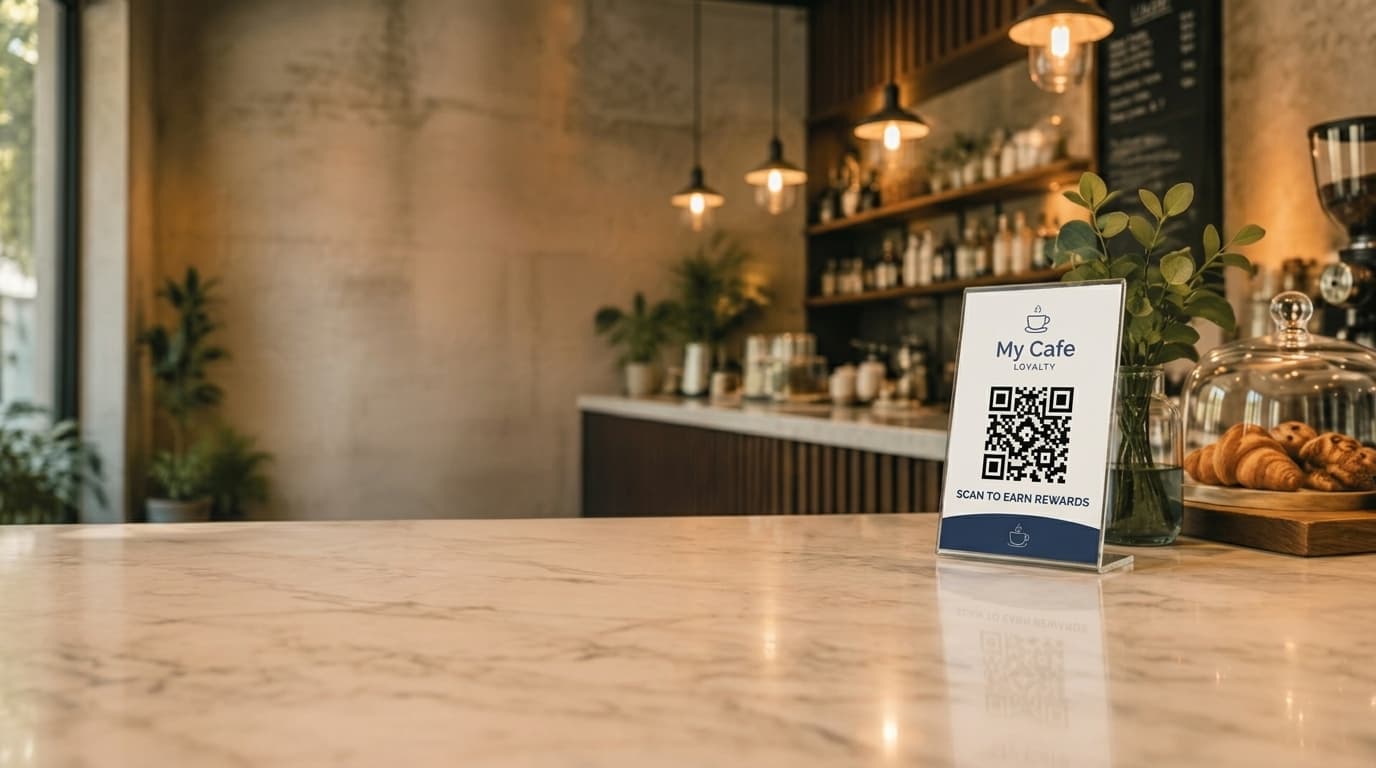
The customer scans your QR code poster and their visit is recorded. The system knows exactly how many visits this customer has made.
System checks visit milestone
Review requests trigger at configurable visit thresholds, by default the 6th and 12th visit. These are customers who have shown they like your cafe enough to keep returning.
SMS sent with review link
A personalised SMS is sent to the customer with a link to a review landing page. The message uses the cafe name and customer name for a personal touch. SMS delivery is delayed 5-12 minutes so it arrives after the customer has left the counter.
Two-option landing page
The link opens a branded landing page that gives every customer two equal options: leave a Google review, or send private feedback to the cafe. Every customer sees both options, nobody is routed based on how their visit went, so unhappy customers still have a direct way to tell you what went wrong.
Follow-up and smart exclusions
If a customer does not engage with the review request, the system sends one follow-up reminder after 15 days. After 2 attempts with no response, the customer is excluded from further review requests. Sunday delivery can also be excluded.
This whole process runs automatically. Google review automation is available on the Business plan ($169/mo), which includes 400 monthly SMS credits. All plans start with a 30-day free trial.
Google Compliance: What You Must Not Do
Google has clear policies about review solicitation, and violating them can result in reviews being removed, your Business Profile being suspended, or your listing penalised in search rankings. These are not theoretical risks; Google actively enforces them.
Do NOT
- Offer discounts or free items for reviews
- Only direct happy customers to Google (review gating)
- Write fake reviews or have staff leave reviews
- Buy reviews from third-party services
- Ask customers to change or remove negative reviews
Safe Practices
- Ask all customers for reviews (not just happy ones)
- Provide a direct link to your Google review page
- Send review requests via SMS or email
- Give every customer the same two options: leave a review, or send private feedback
- Respond to all reviews, including negative ones
How Our Review Request Page Avoids Gating
Review gating means filtering customers before they reach Google, only letting happy customers leave a public review while steering unhappy ones elsewhere. Our review request page avoids this by giving every customer the exact same two options: leave a Google review, or send private feedback to the cafe. Nobody is asked how they feel first, and nobody is routed one way or the other based on sentiment.
Every customer who receives a review request sees both options, so no one is ever blocked from leaving a review, and unhappy customers get a direct channel to tell you what went wrong instead of leaving it in public.
What Results Can Cafes Expect?
The difference between manual and automated review solicitation is consistency. A cafe that manually asks for reviews might get 2-5 new reviews in a motivated week, then drop back to zero for months. An automated system produces a steady drip of reviews, week after week.
Consider a cafe with 100 active loyalty customers using the default milestone triggers. As customers progress through the loyalty program, they naturally hit these milestones and receive review requests. Even with modest response rates, this produces a consistent flow of new Google reviews month over month.
Why Milestone-Based Timing Works
6th visit (default): Established regular. Has enough experience to write a substantive review, and has clearly shown they like your cafe enough to keep coming back.
12th visit (default): A second ask for your most loyal regulars, so you are not relying on a single milestone to build your review count. Both milestones are configurable from your dashboard.
The compounding effect is significant. After 6-12 months of automated review requests, you will have built a substantial review count with a strong average rating, because the reviews come from genuinely happy repeat customers, not random one-time visitors. That directly translates to better Google Maps ranking and more foot traffic.
Start building your review count today
Google review automation is available on the Business plan ($169/mo). Start with a 30-day free trial and upgrade when ready.
Get Started FreeOther Tips to Improve Your Google Presence
Automated review requests are the highest-leverage action, but there is more you can do to maximise your Google visibility.
Respond to Every Review
One of the most impactful things you can do. Reply to every review, positive and negative. For positive reviews, a brief thank-you with the customer's name is sufficient ("Thanks Sarah, glad you enjoyed the almond croissant!"). For negative reviews, acknowledge the issue, apologise if appropriate, and offer to make it right. This shows future customers you care, and Google factors response rate into rankings.
Complete Your Google Business Profile
An incomplete profile hurts your ranking. Keep your business name, address, phone number, hours, and website accurate and complete. Select all relevant categories (primary: "Cafe", secondary: "Coffee shop", "Breakfast restaurant" if applicable), and add your menu, service options, and payment methods.
Post Photos Regularly
Google Business Profiles with recent photos get significantly more engagement. Take a quick photo of a latte art, a new pastry, or your morning setup once a week and post it via the Google Business app. Takes 30 seconds and signals to Google that your business is active.
Keep Hours Updated
Incorrect hours frustrate customers and lead to negative reviews. Update your hours for public holidays (especially Australia Day, ANZAC Day, and state-specific holidays), using the "special hours" feature rather than changing your regular hours.
Handle Negative Reviews Well
Negative reviews are inevitable. The worst response is no response; the second worst is a defensive one. Thank them for the feedback, acknowledge the specific issue, explain what you are doing about it, and invite them back. Potential customers reading your response are more influenced by how you handle criticism than by the criticism itself.
Use Google Business Insights
Google provides free analytics on your Business Profile: how many people searched for your cafe, requested directions, or called. Track these monthly to see if your review efforts are translating into foot traffic. If reviews are climbing but direction requests are flat, work on your profile content and photos instead.
Putting It All Together: A Practical Review Strategy
A practical roadmap for an Australian cafe owner who wants to meaningfully increase their Google review count over the next 6 months.
Month 1: Foundation
- Claim and complete your Google Business Profile (if you have not already)
- Respond to all existing reviews (even old ones)
- Set up a digital loyalty program with QR code check-ins to start building your customer database
- Enable Google review automation on your Business plan
Month 2-3: Building Momentum
- Customers begin hitting 6th-visit milestones and receiving automated review requests
- Reply to all new reviews within 24-48 hours
- Post 1-2 photos per week to your Google Business Profile
- Monitor review campaign metrics in the analytics dashboard
Month 4-6: Compounding Growth
- 12th visit milestones producing a second round of review requests to repeat customers
- Review count and rating should be noticeably improving your Google Maps position
- Use Google Business Insights to track whether increased reviews correlate with more direction requests
This works especially well for cafes in competitive Australian suburbs where multiple cafes vie for the same local search traffic. If you operate in areas like Brisbane, Melbourne, or Sydney, Google review count and quality can be the deciding factor that separates you from the cafe next door.
Frequently Asked Questions
Can I offer discounts in exchange for Google reviews?
No. Google explicitly prohibits incentivised reviews. Offering discounts, free coffees, or any reward in exchange for a review violates Google's policies and can result in your reviews being removed or your Google Business Profile being suspended. You can ask customers for reviews, and you can make it easy with a direct link, but you cannot offer anything in return.
Can I offer discounts in exchange for Google reviews?
No. Google explicitly prohibits incentivised reviews. Offering discounts, free coffees, or any reward in exchange for a review violates Google's policies and can result in your reviews being removed or your Google Business Profile being suspended. You can ask customers for reviews, and you can make it easy with a direct link, but you cannot offer anything in return.
How many Google reviews does a cafe need to rank well on Google Maps?
There is no fixed number, but Google Maps ranking factors include review count, average rating, review recency, and review response rate. In most Australian suburbs, cafes with 50-100+ reviews and a 4.3+ average rating tend to appear prominently in local search results. The key is consistent, recent reviews rather than a one-time burst.
How many Google reviews does a cafe need to rank well on Google Maps?
There is no fixed number, but Google Maps ranking factors include review count, average rating, review recency, and review response rate. In most Australian suburbs, cafes with 50-100+ reviews and a 4.3+ average rating tend to appear prominently in local search results. The key is consistent, recent reviews rather than a one-time burst.
When is the best time to ask a customer for a Google review?
The best time is shortly after a positive experience, while the visit is still fresh. For cafes, this is typically within a few hours of their visit. SMS-based review requests sent 5-12 minutes after check-in have high engagement rates because the experience is recent and the customer has already left the counter (removing the social pressure of being asked face-to-face).
When is the best time to ask a customer for a Google review?
The best time is shortly after a positive experience, while the visit is still fresh. For cafes, this is typically within a few hours of their visit. SMS-based review requests sent 5-12 minutes after check-in have high engagement rates because the experience is recent and the customer has already left the counter (removing the social pressure of being asked face-to-face).
What is review gating and why should cafes avoid it?
Review gating is when a business filters customers before directing them to Google, only sending happy customers to leave public reviews while diverting unhappy customers elsewhere. Google explicitly prohibits this practice. A compliant approach is to send every customer to the same landing page with two equal options: leave a Google review, or send private feedback to the business. Every customer sees both options, nobody is filtered or routed based on how they feel about their visit.
What is review gating and why should cafes avoid it?
Review gating is when a business filters customers before directing them to Google, only sending happy customers to leave public reviews while diverting unhappy customers elsewhere. Google explicitly prohibits this practice. A compliant approach is to send every customer to the same landing page with two equal options: leave a Google review, or send private feedback to the business. Every customer sees both options, nobody is filtered or routed based on how they feel about their visit.
Related Reading
Google Reviews Automation
Detailed look at how our automated review request system works for cafes.
Cafe Benefits
Full overview of what a digital loyalty program can do for your cafe.
SMS Marketing for Cafes
Complete Australian guide to SMS marketing, compliance, costs, and what works.
Cafe Loyalty in Brisbane
How Brisbane cafes use digital loyalty and review automation to stand out.